

If a stream freezes during a Canadiens game, how do you know whether the fault is the provider, your home network, or the device on your TV? Much of the advice about IPTV in Montreal collapses that into a single question, then answers it with a speed test or a provider swap. That shortcut sends people shopping for a subscription they don't need, when the fix was a router moved off a crowded channel.
Separate three things instead: the delivery technology, your access network, and the provider's distribution rights. Each one can pass while the others fail.
A feed can be well-sourced and still stutter on your Wi-Fi. A fast connection can carry a stream the seller has no right to distribute. Those two failures look identical on screen and have nothing in common underneath.
That separation changes how you shop. You compare options on the same criteria, test the exact device you'll watch on, and ask for written terms before a trial clock starts running. Montreal's housing stock, bilingual viewing habits and peak-hour sports traffic make local testing more useful than headline channel counts. The evidence here stays narrower than marketing claims by design: where a number exists it is tied to a named source, and where it doesn't, you get a test you can run yourself.
Table of Contents
- Compare Your Four Montreal TV Options
- How IPTV Reaches Your Screen in Montreal
- Channel and Sports Coverage to Check Before You Subscribe
- Diagnose Buffering and Stream Quality Before You Switch
- Verify Distribution Rights Before You Pay
- Compare Pricing, Trial and Refund Terms
- Choose Your Montreal IPTV Service Before the Trial Ends
Compare Your Four Montreal TV Options
| Option | How it reaches the TV | Typical use | Check before paying |
|---|---|---|---|
| Carrier IPTV (Bell Fibe TV) | Carried on the provider's own fibre network | Full TV package from one provider | Channel list, sports networks and billing terms in writing |
| Third-party IPTV subscription | Streamed over the public internet through an app or box | Low-cost live channels and on-demand titles | Business identity, distribution rights and refund terms |
| Internet streaming (Crave, Club Illico, Netflix) | Apps on any connected device | On-demand titles and some live channels | Monthly price, library size and device limits |
| Cable or satellite | Coaxial cable or satellite dish | Traditional channel packages | Contract length and equipment fees |
Start by placing your household in one row. A family that mostly watches a set schedule of French and English networks needs something different from a household that only opens apps for series and films. IPTV Montreal searches often blur rows two and three, but they're distinct offers. A third-party subscription recreates live channel bundles over the public internet, while streaming services sell their own catalogues direct to you.
Cable is still the default habit for many Quebec households, which makes switching a deliberate move rather than a routine upgrade. In the CRTC's 2014 quantitative television research, 57% of Quebec respondents reported having a cable subscription, compared with 44% elsewhere in Canada, while 7% of Quebec respondents reported IPTV, compared with 13% outside Quebec. That survey is old, so don't treat it as today's market share. Treat it as context. It explains why a Montreal household comparing options often benchmarks everything against a cable package it already understands.
Judge Each Row on the Same Criteria
Ask every provider the same six questions, in writing. Which channels are included, which sports networks carry your teams, what quality holds up between 7 p.m. and 11 p.m., which devices run the app, what the price is after tax, and what the trial terms allow you to test. An option that wins on price but can't name its device limits hasn't really won.
Practical rule: If a provider answers differently before and after payment, the written answer is the one that matters. Save the email or chat transcript.
Pick the row that matches how you already watch, then carry that checklist forward. Households that watch live news and sports daily should weight stream stability and backup feeds. Households that watch on demand can weight catalogue and device flexibility more heavily. Either way, the comparison only works if each option is tested on your screen, on your network, at the hour you'll use it.
How IPTV Reaches Your Screen in Montreal
Say you press play on a live channel at 8 p.m. A stream of video packets enters your home over your internet connection, your router passes it to a device, and an app or box decodes it into picture and sound. Think of a water main, a meter, and a tap. The main limits how much water arrives, the meter and pipes carry it through the building, and the tap decides how you use it. A weak tap can't fix a weak main, and a strong main can't fix a tap that's half closed.

The Device Layer Decides What You Can Install
Living-room viewing usually means a smart TV, Fire TV or Fire Stick, Apple TV, Roku, or an Android TV box. Phones and laptops suit travel and second screens, but a smooth test on a laptop proves little about the TV in the den. App availability differs by platform, and a provider's preferred player may not exist in every app store. Test the exact device, app, and remote you'll use every night.
Setup usually needs one of three inputs, a playlist URL, a login, or an activation code. Enter it exactly as supplied, because one missing character can break authentication. Keep those details private. A playlist link can contain account credentials, so don't post screenshots of it in public forums when you ask for help.
Set up on wired Ethernet where you can. If you can't run a cable, use 5 GHz Wi-Fi in the same room as the router or one room away, and keep the streaming device out of a closed cabinet. That single change removes a large share of faults people blame on providers.
- Confirm the device list: Name every TV, box, and phone that must work.
- Confirm the setup method: Playlist URL, login, or code, plus the app name.
- Confirm a full evening: Run the service through peak hours before any trial ends.
Channel and Sports Coverage to Check Before You Subscribe
Will the channels your household opens on a Saturday night be there? A headline count cannot answer that. A line-up of tens of thousands of entries can still omit the dozen feeds that run in your home, and the total often includes duplicate feeds, time-shifted channels, and language bundles nobody will watch. Treat the number as marketing until you have seen the named list in the order you would browse it.
Start from your own shortlist, then check it line by line against the provider's guide. A household that watches Canadiens games on RDS or Sportsnet alongside Radio-Canada's evening news needs two language line-ups and guide data that labels both correctly. Add children's programming or one international channel, and those names belong on the list too.
- English and French Canadian networks: The national channels you watch for news, drama, and prime-time shows.
- Quebec regional stations: Local news and French-language programming that national bundles sometimes underweight.
- News and children's channels: The daily background channels that expose a weak guide quickly.
- International line-ups: Only the specific countries and languages your household will use weekly.
Test Sports Coverage Live on Game Night
| Network | Language | Typical coverage | Check before paying |
|---|---|---|---|
| TSN | English | National games and much of the hockey schedule | Ask which regional feed carries your team's games |
| Sportsnet | English | Hockey and national broadcasts | Ask whether regional and national feeds both appear |
| RDS | French | French-language hockey and sports programming | Confirm the French feed is listed separately from TSN |
| Pay-per-view events | English and French | Combat sports such as MMA | Ask whether the event is in the plan or billed separately |
Coverage and reliability are separate purchases. The channel list tells you what exists; the backup arrangement tells you what survives a dropped feed.
Pick one upcoming game, find it in the program guide, and watch the first ten minutes at evening peak. Log three things: how long the channel takes to load, whether the guide description matches what is on screen, and whether the picture holds detail when play speeds up. Fast motion exposes a thin bitrate faster than a studio talk show will.
A service can look calm on a quiet Tuesday and struggle through a playoff round. Test on a game night, because that load is what a subscription is buying.
Put three questions to the provider in writing. Which exact channels are included, what replaces a live game when the primary feed drops, and are pay-per-view events part of the plan or sold separately? Ask how many backup feeds exist for the sports channels your household watches and whether they are named individually. A screenshot of logos is not an answer.
Diagnose Buffering and Stream Quality Before You Switch
Why does a 300 Mb/s connection stutter on a hockey broadcast while a slower line plays clean? Download speed measures capacity, not delivery. IPTV transport is continuous, so the player needs media segments arriving steadily and on time. A line can post a strong speed-test result and still drop packets under load, which forces retransmission, pulls the bitrate down, or leaves visible blocking in the picture. Sustained throughput, packet loss, and jitter decide playback more than a headline megabits figure.
The three layers fail in different ways. The delivery method sets the baseline behaviour. Your home access network, meaning the fibre, cable or DSL line plus the router and the wireless link, sets what reaches the player. The provider's server capacity sets whether a popular channel holds up at 8 p.m. Test in that order and each result narrows the next question.
Use a fixed benchmark so your results mean something. The CRTC decision on high-quality fixed broadband defines a high-quality connection as one with latency of 50 ms or less and packet loss of 0.25% or less, measured during weekday peak hours from the customer modem to an off-net Canadian internet exchange point. Those are service-quality thresholds rather than guarantees for any single stream, but they give you two numbers to test against. The per-technology latency figures in the table come from CRTC and SamKnows broadband measurement testing, which measured access latency by connection type.
| Measure or access type | Reference value | Why it matters |
|---|---|---|
| CRTC latency benchmark, peak hours | 50 ms or less | Keeps channel changes and segment requests responsive |
| CRTC packet loss benchmark, peak hours | 0.25% or less | Limits missing video segments and retransmissions |
| Fibre to the home (FTTH) latency | about 11.5-11.7 ms | Lowest measured access latency in CRTC/SamKnows testing |
| Cable/HFC latency | 17.2-21.7 ms | Relatively consistent across testing hours |
| DSL latency, 40 Mbps or faster products | 16.7 ms | Lower end of the measured DSL range |
| DSL latency, 5-9 Mbps products | 29.6 ms | Highest DSL result, leaving less headroom for HD streams |
Run the Diagnosis in This Order
- Stream the same live event on two devices at once. If only one freezes, suspect that device or its Wi-Fi link. If both freeze at the same moments, the problem sits upstream of the devices.
- Test wired Ethernet, then 5 GHz Wi-Fi, then 2.4 GHz. Record stalls for each over the same ten minutes. If Ethernet is clean and Wi-Fi isn't, you've isolated home wireless congestion, which is common in dense apartment buildings.
- Measure during peak, under load. Check round-trip latency, packet loss, and jitter between 7 p.m. and 11 p.m. while another device uploads or downloads. Compare your readings with the 50 ms and 0.25% thresholds above. A morning test on an idle line proves almost nothing.
- Compare against your access technology. In the same CRTC and SamKnows testing, fibre to the home produced the lowest latency and cable results were relatively consistent, while slower DSL products left less headroom. If your measured latency sits far above the range for your connection type, raise it with your internet provider before blaming the TV service.
Put Your Results in Montreal Context
City averages hide a wide spread. SpeedGeo's Montreal broadband statistics for April 2024 to March 2025 report average download of about 164.2 Mb/s, upload of 97.6 Mb/s, and latency of 37 ms, while Bell recorded roughly 275.1 Mb/s average download and 274.0 Mb/s upload, and EBOX recorded the lowest measured ping at 24 ms. Provider results varied substantially, which is the point. Your building, your router placement, and your neighbours' networks shape your experience more than a city average does.
Use a VPN as a diagnostic test: run the stream with it on and off, and keep whichever result measures better. An extra routing hop can improve a bad path or add latency to a good one, so the direction of the change is information. The troubleshooting walkthrough on how to fix IPTV freezing and buffering works through the same one-variable-at-a-time method, because changing three settings at once tells you nothing about which one mattered.
If the same stream fails on every device and every network path, stop changing settings. Send the provider timestamps, channel names, and your test results. That report separates a household fault from an upstream one in a single email, and competent support can act on it.
Rule of thumb: A line that stays under both thresholds at peak tells you more about live TV stability than a clean speed test run at 9 a.m.
Verify Distribution Rights Before You Pay
A service can be legal to operate and still lack the right to carry the channel you want. Rights are granted one network, one title, and one territory at a time. Internet protocol delivery is a transport method any hosting provider can supply; the thing you are buying is a licence somebody else either holds or does not.
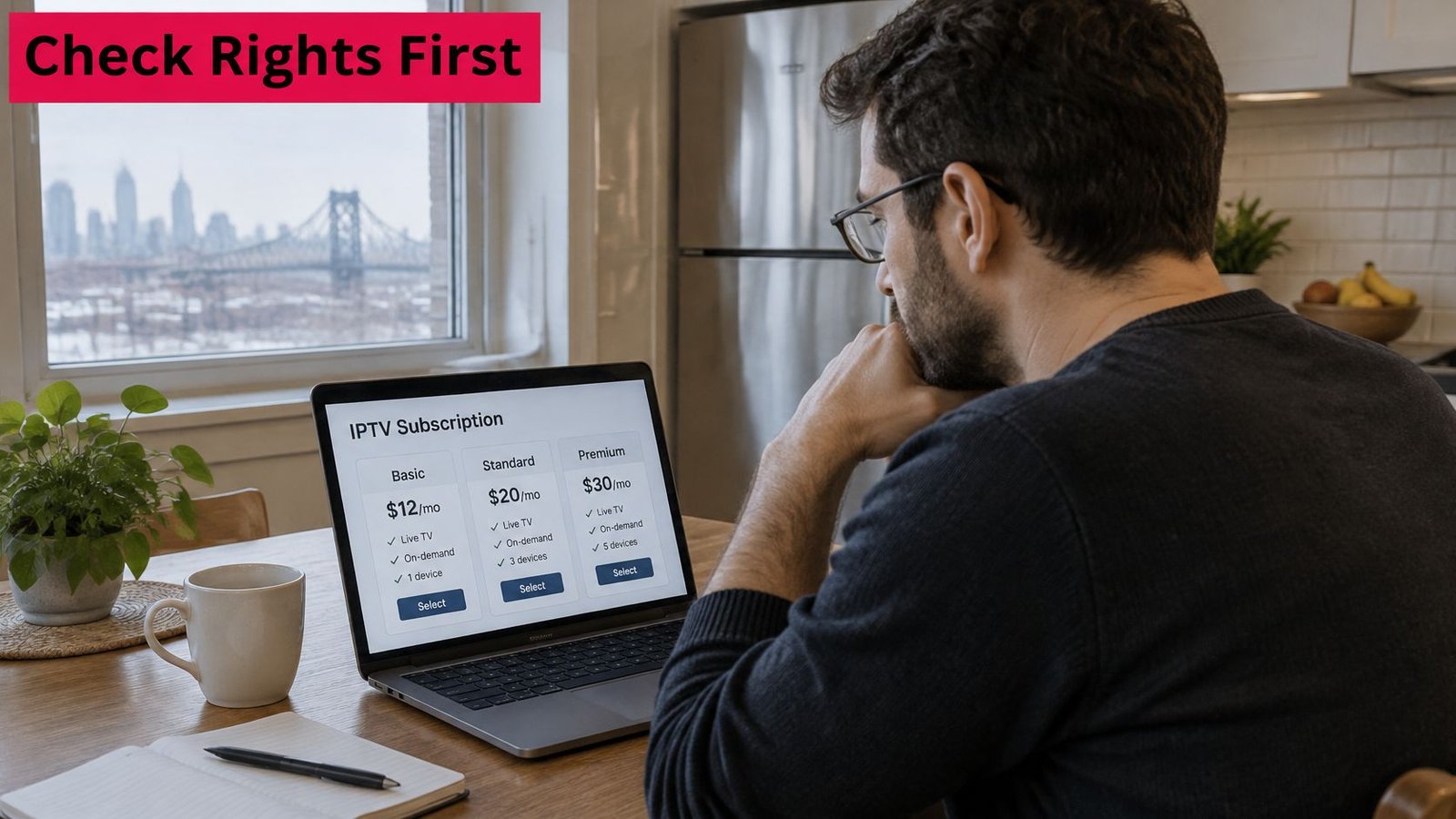
The CRTC's guidance on internet and streaming services states that internet-streaming services generally do not need a broadcasting licence, and that the CRTC does not determine whether online content is authorised, because access depends on distribution rights. That framing settles less than it appears to. A "CRTC-approved" badge describes something the regulator says it does not issue, and a missing licence proves nothing either way, because the agreement that matters is a private contract between a distributor and a rights holder. Your job is narrower than a legal verdict: find out whether this business can explain, in writing, where its channels come from.
A Due Diligence Checklist You Can Finish in One Sitting
- Identify the legal business: A real business name, address, and contact route you could use in a dispute.
- Ask for rights evidence: Written confirmation of Canadian distribution rights for the channels that matter most to you.
- Check the marquee names: Whether TSN, Sportsnet, Quebec networks, and premium titles are sourced on terms the provider will explain in writing.
- Read privacy and refund terms: What data is collected, and how money comes back if the service fails.
Judge the answers by specificity. A reply naming the distributor, the territory, and the term of the agreement is worth more than a badge graphic. A reply that restates "100% legal" without naming anyone is an answer to a different question.
Our explainer on whether IPTV is legal in Canada works through the same distinction in more depth, because authorisation, not the protocol, is what varies between providers.
Behavioural warning signs carry more weight than paperwork claims. Unusually broad channel claims with no named source, anonymous operators, cryptocurrency-only payment, no enforceable business address, and refusal to explain how channels are sourced all raise the cost of getting help or a refund later, before any legal question is reached. The access network matters here too. A provider with a well-built Canadian path to your building can still fail on rights, and a legitimately sourced channel can still stutter on a congested line.
Decide on evidence the provider gives you, not on a badge in an advertisement. If it cannot name its business and describe its rights in writing, don't pay. That test costs one email and replaces a verdict nobody outside a courtroom can issue.
Compare Pricing, Trial and Refund Terms
| Term | What to check | Red flag |
|---|---|---|
| Currency and taxes | Price in Canadian dollars with applicable taxes shown | Price quoted without tax or in an unclear currency |
| Billing term | Monthly cost of each term length | Long commitment needed to get a low monthly price |
| Trial period | Length and whether payment details are required | No trial and no written refund policy |
| Refund window | Length, conditions and how refunds are paid | Refund offered only as account credit |
| Renewal | Whether the plan renews automatically and how to cancel | No cancellation route listed |
| Devices and streams | Number of devices and simultaneous streams allowed | Limits unstated or changed after payment |
Compare what you'll pay, starting with currency. A price in Canadian dollars with applicable taxes included is comparable across providers. A lower figure quoted before tax, or in an unstated currency, isn't. Add setup or device charges before you rank anything.
Billing term is where overpayment most often happens. A low monthly rate tied to a long commitment costs more if you need to leave early, and it removes your ability to push back if quality drops. Divide every term by its months, check whether the plan renews automatically, and note the renewal date somewhere you'll see it. When you're weighing a mid-length option, a plan such as 2 Devices – 6 Months Premium IPTV only makes sense after a shorter test has proven the service on your own network.
The Trial Is a Test Window, Not a Discount
A trial that doesn't require payment details lets you test during the evening peak without a cancellation errand later. Our page on IPTV free trial options in Canada sets out what to check inside that window. Confirm the refund window in writing too, including its length, its conditions, and whether money returns to your card or only becomes account credit.
Ask how many devices and simultaneous streams the plan allows, and get the answer before payment. Limits that appear only after checkout are a common complaint and an easy one to prevent. Promotions expire, so record the offer and its end date rather than relying on a banner you saw once.
Build a small worksheet and compare three providers side by side. Write down monthly cost after tax, trial length, refund window, device count, simultaneous streams, and renewal date for each. Twenty minutes of arithmetic beats months of paying for the wrong term.
Choose Your Montreal IPTV Service Before the Trial Ends
Put the trial deadline at the end of the decision sequence, after the checks that can disqualify a provider.
- Order the checks by irreversibility. Rights and contract terms cannot be fixed by a better stream, so they come first. If written rights evidence is missing, stop; no trial result changes that.
- Define the pass condition before the trial starts. Set a threshold for stalls, app failures, and peak-hour dropouts on your own devices. A trial without a pass condition produces an opinion rather than a result.
- Test only what the trial can isolate. The trial isolates your access network, the device app, and peak-hour contention on your line. It cannot prove provider capacity on another ISP or the legality of a channel.
- Put the stop date on the calendar before the first stream. A trial end date that arrives before your pass/fail decision forces a default choice, so set the decision date earlier than the expiry.
- Finish the worksheet after the trial, not before. The trial result is the final input. Complete the side-by-side comparison when that row is filled, so the shortlist reflects measured performance rather than advertised capacity.
Treat the provider's stated terms as facts to verify in the written terms at checkout, alongside your own peak-hour result. A claim about Canadian servers or channel backups cannot predict how a stream behaves in your apartment at 8 p.m.; only the test on your line can.
Start your trial the way you'd run any test, with written terms in hand and a game-night check scheduled before the window closes. Watching IPTV Canada offers Montreal households live channels, sports coverage, and on-demand titles with Canadian-based support, priced in Canadian dollars with taxes included. Visit the site, compare the plans against your worksheet, and run your peak-hour test before you commit to a longer term.
No Responses