

What would you know about an IPTV Canada Plus offer if you removed its channel count, its lowest price and every promise about picture quality? For many buyers, very little would remain. That's the gap worth closing before you pay, because the name doesn't identify one standard product with fixed terms, rights or performance.
IPTV itself isn't a niche experiment in Canada. The CRTC 2024 communications monitoring report reported that IPTV penetration increased from 20% of Canadian households in 2019 to 35% in 2023. That growth makes the market larger, but it doesn't make every seller easier to verify. Judge the written offer in front of you, not the label attached to it.
Table of Contents
- What an IPTV Canada Plus Offer Should Include
- How to Check Whether a Seller Holds the Rights
- Testing Channels, Sports and Devices Before You Pay
- Bandwidth and Wi-Fi Needed for Smooth Streams
- What IPTV Really Costs Once Data Is Counted
- Fixing Freezing, Pixelation and Startup Delays
- Decide Only After the Offer Passes the Checks
What an IPTV Canada Plus Offer Should Include
Eight elements can be confirmed before checkout, and a credible seller puts each one in writing where you can reread it after the sales page changes. A weak offer asks you to trust a headline, a chat message or a countdown timer instead.
The Eight Point Check
| Offer element | What to confirm | Good sign | Red flag |
|---|---|---|---|
| Channel list | Published list of live channels and regions | Named networks, guide matches the list | Only a headline channel count |
| Video on demand | Catalogue size, titles and update frequency | Searchable catalogue with dated updates | Untitled or repeated listings, no catalogue view |
| Simultaneous connections | Number of screens each plan allows | Stated number per plan, such as 1 to 5 | Unlimited claims with no written terms |
| Picture quality | Whether 4K is adaptive or guaranteed | Adaptive HD and 4K, with the stated bitrate range | Promised 4K on any connection |
| Subscription terms | Length, renewal and cancellation | Fixed terms, renewal price shown before checkout | Automatic recurring charges with no notice |
| Trial and refund | Trial length and refund window | Written trial and refund policy | No policy, pressure to pay immediately |
| Support | Hours and contact methods | Named contact method and stated hours | No contact details or business address |
| Billing | Currency, taxes and payment methods | Currency and taxes shown before checkout | Cryptocurrency only or gift card only payment |
A headline channel count proves almost nothing on its own. It doesn't tell you whether your regional sports feed is present, whether listings are duplicated, or whether the electronic program guide names the right program at the right time. Ask for the published list, search it for the networks your household watches weekly, then open those channels during a trial. We provide a channels list for customers to view, which is the kind of document any seller should be willing to show you before money changes hands.
Picture quality needs the same treatment. Adaptive 4K means the player raises or lowers resolution as available bandwidth, device capacity and stream conditions change. Adaptive delivery adjusts resolution to the connection; it does not guarantee 4K on every channel. WATCHING IPTV's subscription streams in 8K, 4K, HD and SD with delivery that adapts to internet speed, which is the measurable way to describe picture quality. A seller guaranteeing 4K regardless of your connection is claiming something adaptive delivery cannot do.
The trial row matters because it is the one element that tests all the others. A free 24-hour trial with full access to HD channels and no credit card required, which WATCHING IPTV offers, lets you check the channel list, the guide and the picture on your own connection before paying.
Practical rule: Treat anything you can't find in the terms, channel list or checkout summary as unconfirmed, however confidently it's stated in marketing copy.
Sorting Confirmed Terms From Marketing Claims
Sort each element into three groups before you go further. First, what is confirmed in writing in terms you can save or revisit. Second, what is only claimed in marketing, such as a banner promising a vast catalogue without a searchable list behind it. Third, what is missing altogether, including refund conditions, renewal pricing or a working support contact.
That sorting changes the decision. An offer with six confirmed elements and two clear gaps gives you specific questions to ask. An offer built mostly on claims gives you nothing to test except the stream itself, and a working stream today leaves billing, renewals and support unsettled tomorrow.
How to Check Whether a Seller Holds the Rights
Can a sharp picture and a low price tell you whether a seller is authorised to sell what you're watching? No. Technical quality and price answer different questions, and neither one establishes content rights.
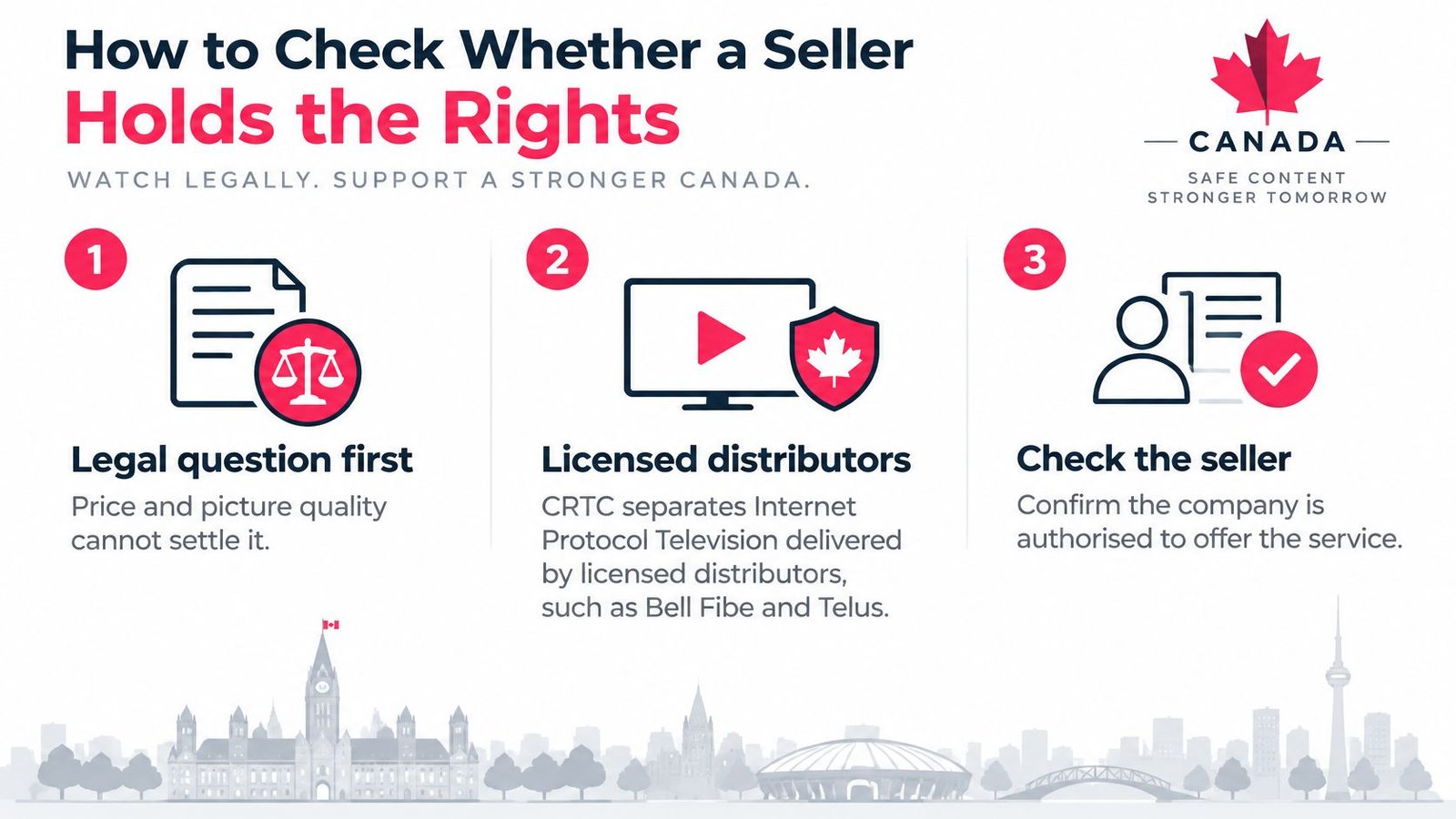
The distinction matters because Canada's regulator doesn't treat every internet delivered service as the same thing. According to the CRTC publication on Canadian broadcasting, the CRTC distinguishes Internet Protocol Television delivered by licensed distributors such as Bell Fibe and Telus Optik from internet based services such as Netflix, Crave, and Club Illico, and 78% of Canadians reported that they subscribe to or have access to at least one video streaming service. Your question therefore isn't whether IPTV technology is legal. It's whether this provider holds rights to distribute the channels, sports and on demand titles it sells.
Four Checks Before You Pay
- Find the legal identity: Look for the provider's legal business name, a postal address and a working contact on its own site, not only a social media handle.
- Read the terms before checkout: Open the terms of service and billing disclosures and check subscription length, renewal behaviour and what you're buying.
- Confirm a complaint route: A stated complaint process and refund policy should exist before you need either one.
- Ask who supplies the channels: Ask which rights holders supply the key channels, then check during the trial that the named sports networks are delivered in the guide.
For background on how Canadian rules frame these questions, read this guide on whether IPTV is legal in Canada before you rely on a seller's summary of its own status.
Risk Indicators Are Not Proof
Several signals should raise your caution without being treated as proof on their own. Anonymous operators, cryptocurrency only payments, unusually broad channel claims with no published list, and instructions to bypass regional restrictions all make verification harder. One signal might have an innocent explanation. Several together mean you can't identify who you're paying, how you'd get a refund, or where the content comes from.
A cheap, high quality stream does not establish legality, because legal status depends on authorization under Canadian broadcasting and copyright rules.
That's the conclusion many comparison pages skip. They rank channel counts and device compatibility as if those measures answer the rights question. They don't. The checklist exists to find evidence of authorization, and if a seller can't supply its identity, terms and a clear account of its content sources, don't buy the offer while hoping the missing pieces turn out fine.
Testing Channels, Sports and Devices Before You Pay
Test the viewing your household does, not the catalogue a seller wants to showcase. A service can carry thousands of channels you'll never open and still fail you on the six you watch every week.
Run Your Own Trial
- List your essentials first: Write down the five channels and two sports networks watched most in your household before the trial starts, so browsing doesn't replace testing.
- Check each one twice: Start a trial or short plan and open each essential channel in the guide at two different times of day, including one evening session.
- Compare the guide: Match the guide's listings against the broadcaster's own schedule for one evening and note wrong titles, wrong times or blank slots.
- Watch live sport: Watch one live game rather than a replay, on the main television, under the conditions you'd normally use.
Sports deserves that emphasis. According to Roku's Canada focused advertising research, in 2025, every one of the 10 most watched television broadcasts in Canada was a sports broadcast. Live games also stress a service differently from films, because every viewer pulls the same event at the same moment and there's no finished file to buffer far ahead.
Before the trial, scan the IPTV Canada channels list for your essentials so you arrive with names to verify rather than categories to browse. If you're using a short paid term as your test instead of a trial, a product such as 1 Month Premium IPTV is an example of a one month option, and it should face exactly the same checks during that month.
Devices and Exclusive Events
Confirm the app runs on the TV, Fire TV Stick, Android box, phone or laptop your household uses, and that it installs through a method the device supports without workarounds. Sign in on each screen you plan to use, change channels, search the guide and start an on demand title. A service that works on your phone but stumbles on your main television hasn't passed your test.
Some events sit on licensed platforms with exclusive rights, so check which sports the service carries rather than assuming full coverage. If one league is your whole reason for buying, name it and test it live. A single missing key channel or game makes the offer incomplete for you, even when the rest of the lineup looks strong.
Bandwidth and Wi-Fi Needed for Smooth Streams
Sustained bitrate, latency, packet loss and household concurrency decide your evening more than channel count does. Together they describe how much data each stream needs every second and how many screens compete for it at once, and none of them appears on a seller's feature list.
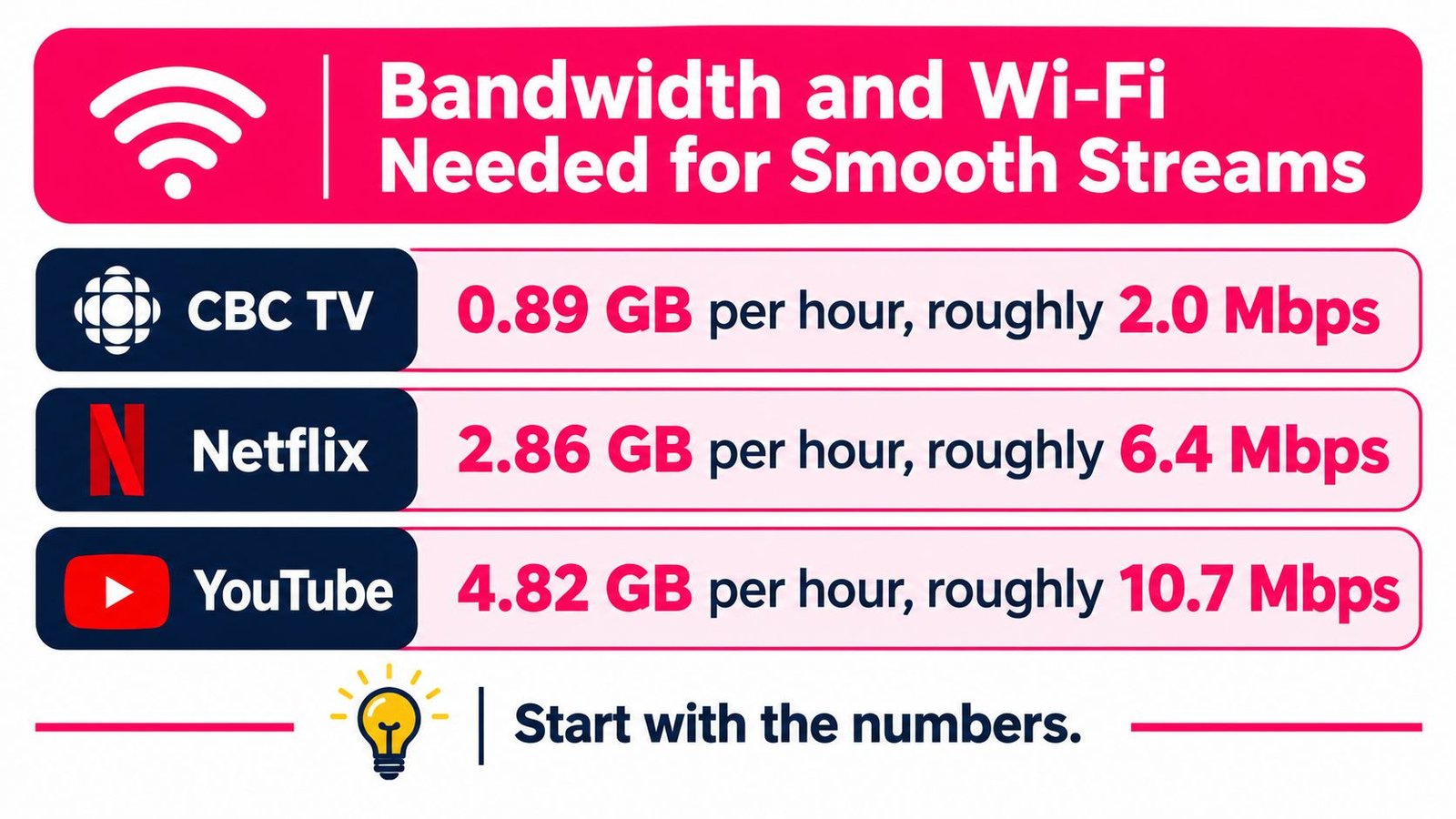
Start with measured rates. The CRTC communications monitoring report data on streaming consumption reports Canadian video streaming examples of about 0.89 GB per hour for CBC TV, 2.86 GB per hour for Netflix and 4.82 GB per hour for YouTube, with 4K video reaching approximately 5 GB per hour. Converted to average throughput, those rates give roughly 2.0 Mbps, 6.4 Mbps and 10.7 Mbps respectively.
Live IPTV usually needs more headroom than those averages suggest. The stream is continuous, and protocol overhead, scene complexity and adaptive bitrate switching add variability, so plan around 10 to 20 Mbps of sustained capacity for each 4K stream. A fast moving hockey broadcast doesn't behave like a static talk show, and your connection has to serve the peak moments.
A plan's label tells you nothing about any of this. A package sold under a name like "IPTV Canada Plus," "8K" or "buffer-free" stays a marketing name until your own measurements say otherwise, and even a service that advertises adaptive streaming fails when the line can't hold the lower quality rungs it falls back to.
Turning Rates Into a Household Plan
Three simultaneous HD or 4K streams can materially compete with gaming, video calls and cloud backups on the same connection. That makes any speed target worth a careful read. A common planning assumption for Canadian broadband is 50 Mbps downstream and 10 Mbps upstream as a minimum service level, and it works as a starting point on paper, but it says nothing about whether multi stream IPTV stays steady when the connection is congested at 8 pm.
- Wire the main television: Use Ethernet for the screen that carries live sport, since it removes wireless distance and interference from the equation.
- Use the faster bands elsewhere: Put other screens on a 5 GHz or 6 GHz Wi-Fi connection rather than a crowded 2.4 GHz band.
- Test when it matters: Run your checks during weekday evenings instead of mid morning, because evening throughput is what your viewing depends on.
- Pause background uploads: Large uploads during viewing can trigger queueing and adaptive quality drops on the streams you're watching.
Fast Is Not the Same as Stable
A steady 20 to 50 Mbps connection with low loss can outperform a faster line that slows every evening or suffers wireless interference. Speed test results taken once, beside the router, at noon, tell you little about a Saturday game watched two rooms away.
Reserve headroom rather than sizing your bandwidth exactly to the advertised video bitrate, and you'll absorb the peaks that averages hide.
As a planning rule, add up the sustained rate for every stream you expect at once, then keep spare capacity above that total for calls, gaming and ordinary browsing. If your measured evening speed only just covers the video alone, the picture will be the first thing to give when the household gets busy.
What IPTV Really Costs Once Data Is Counted
A monthly subscription price is one line in the total cost. The other line is data, and the per hour rates from measured streaming turn into a monthly total faster than most buyers expect. Match your household to a row below before you compare prices.
Monthly Data Use by Household Scenario
| Household | Stream hours per month | Estimated monthly data use | Peak bandwidth to reserve |
|---|---|---|---|
| One viewer, one HD level stream | 90 | About 80 to 260 GB | About 10 Mbps |
| One viewer, one 4K live stream | 90 | About 430 to 450 GB | 10 to 20 Mbps |
| Family, three streams, four hours a day | 360 | About 320 to 1,740 GB | About 30 to 60 Mbps |
| Sports household, two 4K streams, three hours a day | 180 | About 870 to 900 GB | About 20 to 40 Mbps |
The ranges come from applying different per hour rates to the same viewing. A single viewer at 90 stream hours uses about 80 GB at the CBC TV rate and about 430 GB at the YouTube rate, while the sports household at 180 stream hours reaches roughly 900 GB at a 4K rate of about 5 GB per hour. Use the rate that matches the picture quality you'll choose, because selecting 4K by default multiplies the total.
This isn't a theoretical worry. The CRTC annual highlights publication reports that Canadian data consumption has doubled since 2019, partly because of HD and 4K subscription video services, and that the share of Canadian households relying exclusively on streaming increased from 29% in 2024 to 33% in 2025. Ignoring data therefore overstates your savings in a predictable direction.
Four Steps to Your True Monthly Cost
- Check your cap: Find your internet plan's data limit and any overage charge in your provider account, not in a sales summary.
- Multiply accurately: Multiply hours watched by the number of simultaneous streams, since three screens for four hours is twelve stream hours, not four.
- Compare against the cap: Set your estimated total beside the limit and price any overage or plan upgrade you'd need.
- Add what's still missing: Add the cost of any licensed sports service you still need for exclusive games the IPTV offer doesn't carry.
The contrarian conclusion follows directly. A very large catalogue may not be your best value if you mainly need a few Canadian networks, and a cheaper subscription can cost more overall once overages and a second service are added. Answer that total cost question, does the saving survive your data use, before you call any offer inexpensive.
Fixing Freezing, Pixelation and Startup Delays
Start from the symptom you're seeing, because each pattern points to a different cause and a different first test. Changing settings at random wastes an evening and tells you nothing.
| Symptom | Likely cause | First test | Fix |
|---|---|---|---|
| Freezing only in the evening | Peak hour congestion or packet loss | Speed and latency test at 7 to 10 pm | Ethernet connection and a lower picture quality |
| Breakup on Wi-Fi only | Distance or interference on the wireless band | Same channel on Ethernet | Move to 5 GHz or 6 GHz, or add Ethernet |
| Pixelation on every screen | Jitter or packet loss above 0.25% | Packet loss check during viewing | Reduce household uploads and contact support with results |
| Slow start on channel change | Cache build up or low free memory | Time the change before and after a restart | Clear the app cache and restart the device |
| One device fails, others work | App or device specific fault | Reinstall the app on the failing device | Update or reinstall the app |
| All devices fail together | Provider outage or account issue | Check the provider status and your account | Contact support with timestamps and test results |
Two thresholds help you interpret those tests. The CRTC broadband measurement report identifies 50 ms round trip latency and 0.25% packet loss as thresholds associated with high quality fixed broadband during peak periods, and notes that excessive jitter can produce video pixelation, audio distortion, and loading delays. It also found average latency of about 15.2 ms in central regions versus 27.1 ms in eastern regions, so network path quality varies by technology and geography even when download speed looks adequate.

A Five Step Diagnostic Order
- Test at peak time: Run a speed and latency test while the problem is happening, and record the numbers.
- Switch to Ethernet: Retest the same channel wired, which separates a wireless fault from a service fault in one step.
- Lower the quality: Drop the app from 4K to HD and see whether stability returns, which points to capacity rather than the channel itself.
- Reset the app: Clear the app cache and restart the device before you blame the network.
- Escalate with evidence: If every device fails together, check the provider status page or contact support with your timestamps and results.
For a fuller walkthrough of these steps, see our guide to fixing IPTV freezing and buffering, which follows the same symptom first order.
Keep bandwidth and path stability separate in your thinking. A fast line with packet loss still freezes, because lost packets force retransmissions and drain the buffer during high demand events. If the problem persists on Ethernet at both peak and off peak times, the fault likely sits in the network path or the service itself, and your recorded test results are what support needs from you.
Decide Only After the Offer Passes the Checks
Hold off on paying until the offer clears the eight point checklist in the order given, because a failed rights check makes a passing trial worthless.
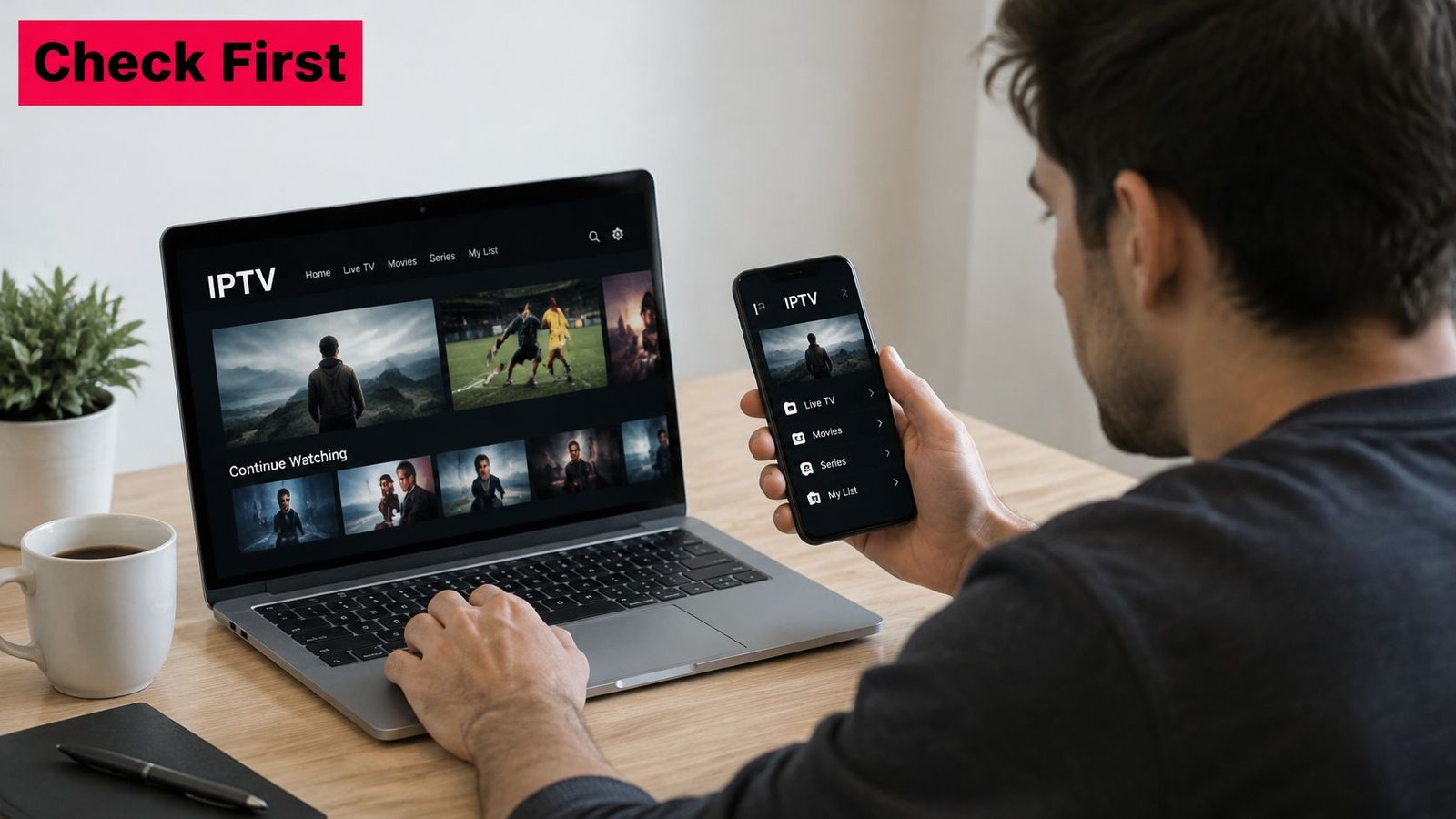
Watching IPTV Canada publishes a channels list and prices in Canadian dollars with applicable taxes included, which is the level of written documentation every seller should match. If a provider can't produce the same on paper, no trial result will fix that.
Watch this short setup walkthrough before your trial session so device questions don't eat your testing time.
A trial only proves your own setup works. It can't confirm rights or written terms, so verify those separately before you decide. Three questions close the file. Can I name the provider's legal business? Do my key channels and games work in the trial? Do the terms and refund policy match what the seller claims? If any answer is no, don't subscribe.
Run the same checks on us. We offer a free 24 hour trial with full access to HD channels and no credit card required, backed by a support team based in Canada and available 24/7. Visit Watching IPTV Canada to start the trial and subscribe only if every answer holds up.
No Responses