
You've connected a small black box behind the television, found the right HDMI input, and picked up the remote. Instead of familiar streaming apps, you're looking at a portal setting. The hockey game starts soon, and you're wondering whether you've bought the wrong device or missed a step.
Table of Contents
- Why Canadian Viewers Are Plugging In a MAG Box Right Now
- What a MAG Box Actually Does
- Inside the Hardware That Matters
- Setting Up Your MAG Box With a Canadian IPTV Service
- MAG vs Firestick vs Smart TV
- Common Connection Problems and What They Really Mean
- Why Your MAG Box Is Not Always the Problem
- Your First-Week Checklist With a MAG Box
Why Canadian Viewers Are Plugging In a MAG Box Right Now
A MAG box IPTV setup makes more sense when you think of it as a dedicated television terminal, not another general-purpose streaming gadget. It suits viewers who want to open a channel guide, choose something to watch, and leave the app-hopping to someone else.
That might describe a hockey fan who prefers browsing live sports, or a multilingual household where family members want familiar channels organised together. Neither household necessarily needs another app platform. They need a clear route from the remote to the programme.
A familiar way to watch internet television
Canada's move towards internet-delivered television isn't new. In 2018, licensed IPTV services had 2.8 million subscribers, approximately 26% of broadcasting-distribution subscriptions, according to the CRTC's historical broadcasting-distribution figures. Those figures describe service subscriptions, not MAG ownership, so they shouldn't be mistaken for a count of these boxes.
The distinction matters when shopping. A mature IPTV market doesn't mean that every internet television subscription works with every receiver. Before buying hardware, ask the service whether it supports your exact MAG model and the type of portal connection it requires.
- Choose around viewing habits: A dedicated live-channel interface may suit someone who rarely leaves the television guide.
- Separate the expenses: Ask for the hardware cost and subscription cost separately, rather than treating a bundled price as the price of the box.
- Check the household fit: Consider who'll use the remote, which languages they watch, and whether they also need subscription-video apps.
There's no useful universal price range without knowing the model, seller, warranty, and included service. A clear written breakdown tells you more than a low advertised bundle price, especially when you're trying to understand what you'll still own if the subscription ends.
What a MAG Box Actually Does
The easiest mental model is a restaurant. The MAG box is your table, the portal is the kitchen, and your subscription determines which menu you can order from. Owning the table doesn't supply dinner, and changing tables won't fix a kitchen that isn't sending food.
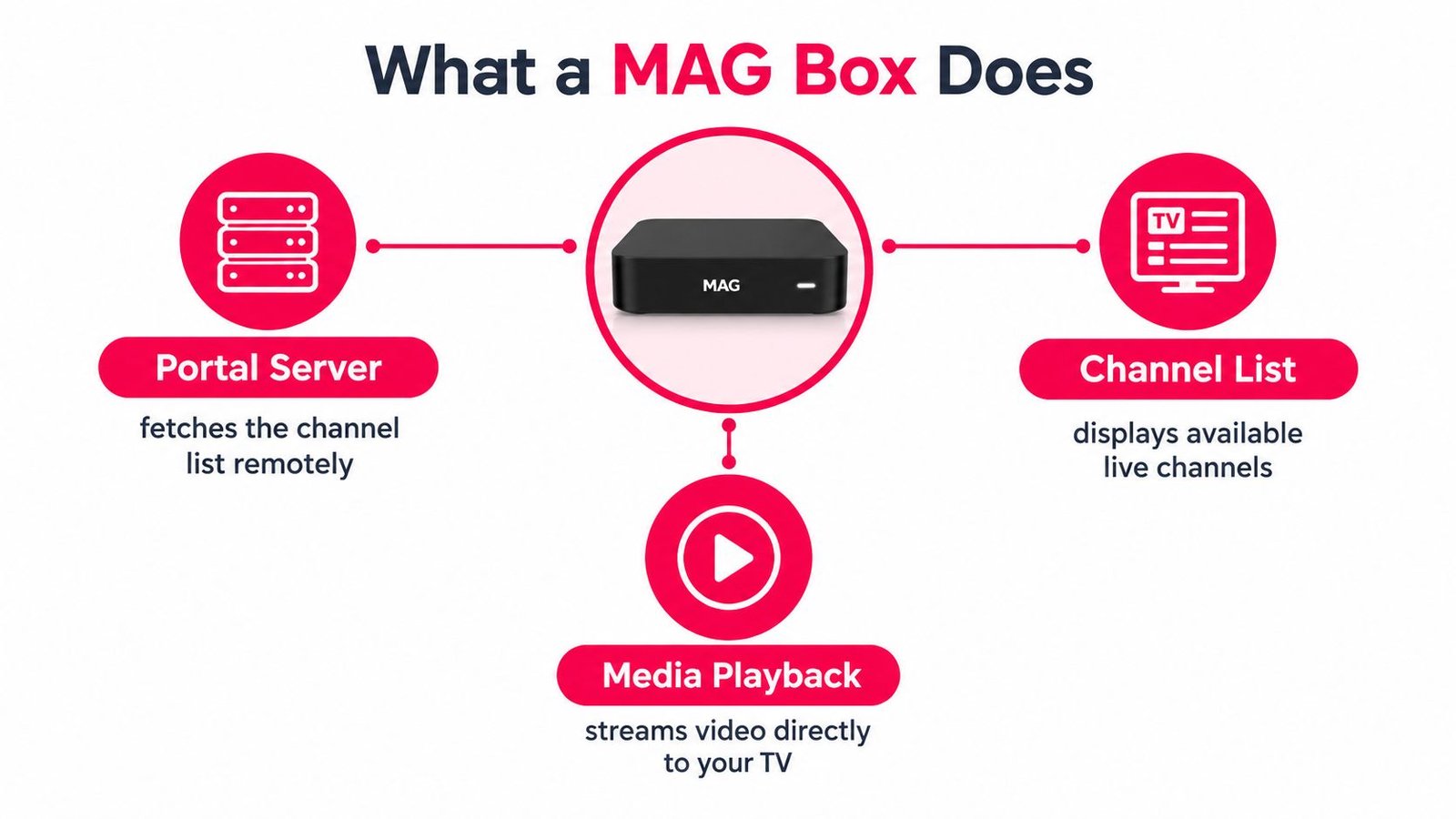
In practical terms, the box contacts a remote portal, receives the available channel information, and plays the selected stream. Middleware, such as Stalker or Ministra in compatible installations, manages the interaction between the viewer's interface and the service.
Why the portal address matters
A portal URL tells the receiver where to find that service's interface. It isn't interchangeable with an app-store download, and it isn't necessarily the same thing as a playlist address or an account login. Ask for MAG-specific instructions rather than guessing which detail from your welcome email belongs in the portal field.
Some services also register the box's MAC address, a device identifier used during authorisation. It isn't your email address or a password you create. Give it only to the service you intend to use, and avoid posting activation details in public support groups.
Practical rule: The box provides playback capability. The portal and subscription determine what appears on screen.
The electronic programme guide, or EPG, is the schedule beside the channels. Channel logos, programme descriptions, and guide completeness depend on what the service supplies and how it integrates that information. A receiver can display an empty guide without being physically defective.
For a broader explanation of delivery methods, the guide to how IPTV works helps separate the internet connection, playback device, and content service. Keep those roles distinct when asking for support: “the portal opens but the guide is empty” is much more useful than “the box doesn't work.”
Inside the Hardware That Matters
Start with the decoder, the component that turns compressed video into pictures. A long processor name doesn't tell you whether your chosen channel will play correctly unless the receiver also supports that stream's format.
For a concrete example, the MAG 544 hardware specification lists an Amlogic S905Y4-B quad-core ARM Cortex-A35 processor, 1 GB LPDDR4 memory, H.265 Main/Main 10 decoding up to 2160p at 60 frames per second, and H.264 decoding up to 2160p at 30 frames per second. It also lists HDMI 2.1, dual-band 2.4/5 GHz Wi-Fi, and 100 Mbps Ethernet.
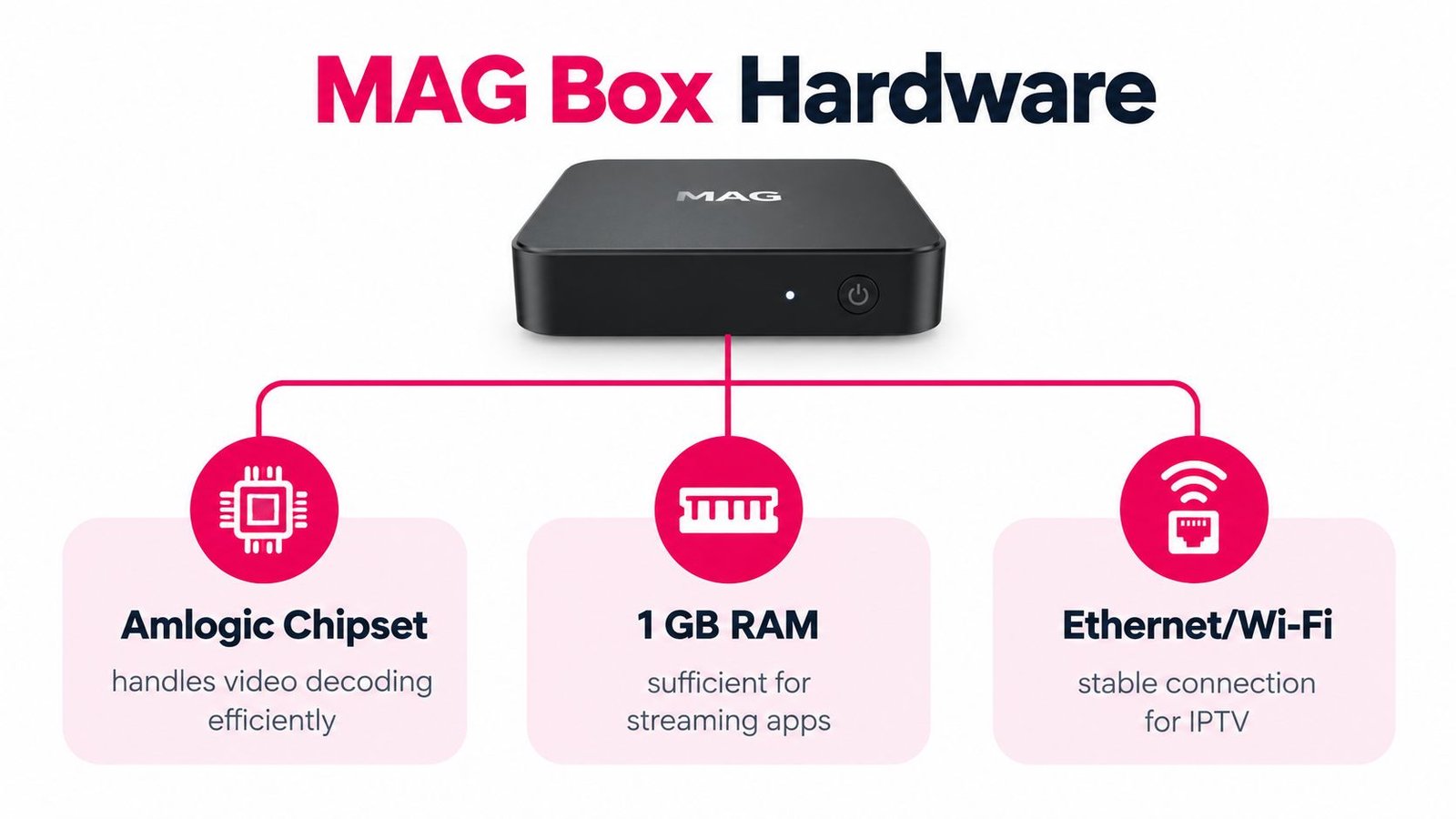
Read the specifications as a compatibility checklist
H.265 is a video-compression format. Think of efficient packing: the aim is to carry comparable picture detail using less network capacity than older H.264 delivery. That advantage only helps when the service supplies a compatible stream.
Memory deserves a more careful interpretation than “more is always better.” Don't assume a RAM figure guarantees responsive menus. Ask whether the particular model works well with the intended portal, including its guide and on-demand interface.
- For a media cabinet: Prefer a cable connection when the router is accessible. It removes the wireless link from the playback path.
- For a wall-mounted television: Wi-Fi may be the practical choice, but test it in the box's final position rather than beside the router.
- For higher-resolution viewing: Check the receiver, television input, and HDMI connection together. A capable decoder alone doesn't establish end-to-end compatibility.
The Ethernet port capacity applies to the box own wired connection, not every device in the home. Other viewers and downloads compete elsewhere on the shared network. Do not replace the receiver just because your internet package advertises a speed above the receiver port rating.
Setting Up Your MAG Box With a Canadian IPTV Service
Prepare the connection details before switching anything on. You'll want the provider's MAG instructions, the portal address, confirmation of device authorisation, and a way to contact support if activation hasn't completed.
Ask specifically about the services you already pay for. An existing television subscription doesn't automatically include permission or technical support for an independently purchased MAG receiver. Likewise, an app login isn't proof that a compatible portal exists.
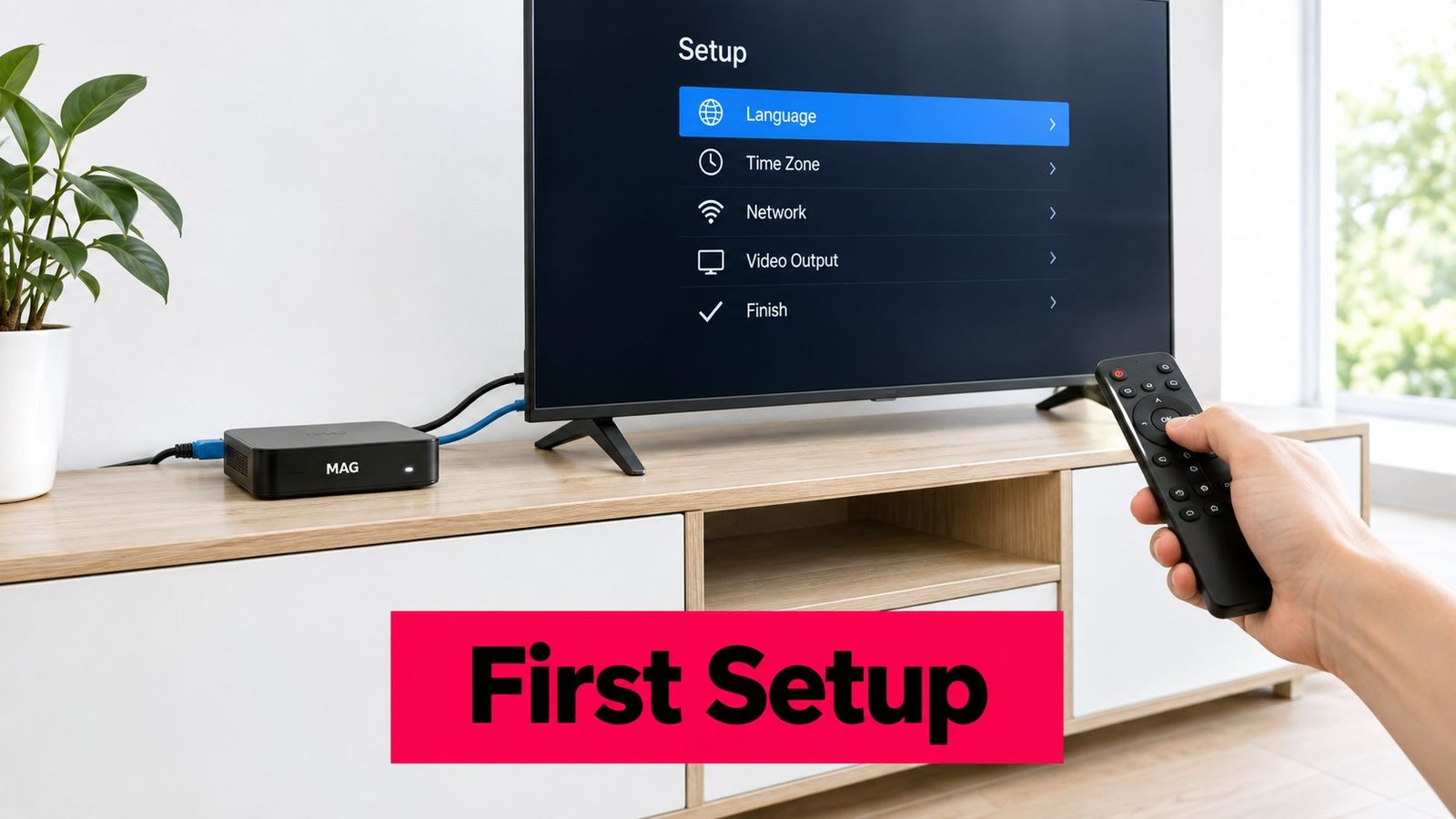
Connect first, then configure
- Connect the television: Attach HDMI, select the matching television input, and connect power using the appropriate adapter.
- Establish internet access: Connect Ethernet where practical, or join your home Wi-Fi through the receiver's network settings.
- Open the receiver settings: Use the on-screen system menu and locate the server or portal settings. Menu labels can differ by model and software.
- Enter the supplied details: Give the portal a recognisable name and copy its address carefully. Follow the provider's instructions if it specifies a middleware profile.
- Save and restart: Reopen the service after the change so the receiver can establish a fresh session.
Don't assume you need to configure the receiver through a browser. Follow the model's documented method rather than entering router settings or experimenting with unrelated administration pages.
Check the result before settling in
Set the appropriate Canadian time zone, then compare a programme listing with the current local schedule. Open a channel, return to the guide, and save a favourite if the interface supports it. Check your preferred language channels as well as the sports feed you bought the service to watch.
When comparing subscription descriptions, 2 Devices – 6 Months Premium IPTV is a named catalog option, not evidence by itself of compatibility with your receiver. Confirm MAG support and connection rules before purchasing any plan.
Keep the activation email somewhere accessible. If setup fails, report the exact screen message and the point at which loading stops. A promised setup time is less valuable than having the correct credentials and a support contact who can check authorisation.
MAG vs Firestick vs Smart TV
Choose the interface you'll enjoy using, not the device with the longest feature list. A household that watches scheduled channels has different needs from someone who mostly opens Netflix after dinner.
MAG Box vs Firestick vs Smart TV for Canadian IPTV
| Criterion | MAG Box | Firestick | Smart TV |
|---|---|---|---|
| Main viewing approach | Dedicated portal-based experience | App-based viewing | Television's built-in apps |
| Setup question | Does the service support this portal and model? | Is a suitable player available and supported? | Does the television support the required app? |
| Guide experience | Depends on portal information and interface | Depends on the selected player and service | Depends on the available app and service |
| Remote considerations | Assess channel navigation and guide access | Assess app navigation and player controls | Assess whether the television remote handles the app comfortably |
| International viewing | Check the actual authorised channel offering | Check service and player compatibility | Check regional app availability and service compatibility |
| Best fit to consider | Viewers prioritising a dedicated channel guide | Viewers switching among apps | Viewers who want fewer external devices |
Match the choice to the household
For a parent who wants a familiar channel list, evaluate the MAG interface with them rather than choosing on their behalf. Can they find a favourite, return to the guide, and recover from an accidental button press? Those small tasks matter more than a polished demonstration screen.
For someone who spends most evenings in entertainment apps, test the Firestick or existing Smart TV first. A separate receiver may add equipment without improving their normal routine. An Android box is another candidate, but judge the actual model and supported software rather than assuming every Android device behaves alike.
A different player can change the interface. It can't establish that a channel is licensed or repair an unreliable source stream.
For Saturday-night hockey, no device category earns an automatic reliability win. Compare the same authorised service under similar household conditions, and include remote usability, picture behaviour, and support in your decision. The comparison of streaming devices for IPTV offers another way to narrow the shortlist before buying equipment you might not need.
Common Connection Problems and What They Really Mean
Treat a fault as a clue, not a verdict. Network, portal, and device problems can produce similar symptoms, so start by noting what still works.
A rejected portal points you towards the address, account authorisation, or compatibility. A guide that loads while a particular channel stays black suggests a different investigation from a receiver that cannot reach the service at all.
Match the symptom to the next check
- Portal rejected: Recheck the supplied address and ask support to verify activation against the intended receiver.
- Channels open slowly: Compare several channels. Establish whether the delay affects the whole service or a particular group.
- EPG missing or incorrect: Confirm local time settings, then ask whether the service's guide data is available.
- Audio out of sync: Compare another channel before changing television audio settings. Record whether the problem is isolated or widespread.
- Black screen on higher-resolution content: Check the output mode and HDMI path, then test a less demanding channel.
- Frozen frame during hockey: Note whether menus remain responsive and whether other household internet activity is also affected.
Canadian testing shouldn't stop at the headline download result. The CRTC's broadband measurement guidance identifies approximately 35–42 ms or lower latency as generally desirable for streaming. That's a diagnostic reference, not a guarantee that a particular portal will play smoothly.
A decision tree worth keeping nearby
If several services fail, investigate the household connection and television environment. For an independent app check, AccountShare's Netflix not loading on TV solutions can help you examine the Netflix side without treating it as proof about your MAG subscription.
If only the portal fails, contact its operator with the exact error. If only a particular channel fails, report that channel and programme. Use the IPTV troubleshooting guide to organise those findings rather than changing unrelated settings together.
Before contacting support, record your ISP, city, time, channel, connection method, and whether the problem repeats. That record gives someone a reproducible problem to investigate.
Why Your MAG Box Is Not Always the Problem
A speed test taken while the house is quiet answers a different question from a stream freezing during a busy hockey evening. It shows what happened under that test's conditions, not necessarily what happened along the route to your television service.
Canadian households are also asking more of their connections. The CRTC reports that data consumption has doubled since 2019, partly because of HD and 4K subscription video, while streaming-only households increased from 29% in 2024 to 33% in 2025, in its Canadian telecommunications market report. Those national figures provide context, not a diagnosis of your living room.
Run a controlled comparison
Test the same channel during the troublesome evening period and again when demand is quieter. Keep the output settings unchanged so you're not comparing different viewing conditions without realising it.
Then compare wired and wireless playback in the receiver's normal location. Temporarily pause a large download or cloud backup, with the household's agreement, and see whether behaviour changes.
Before spending: Change one condition, observe the result, and write it down. Otherwise, you won't know which change helped.
If wired playback improves while wireless playback struggles, investigate placement, obstructions, and wireless contention before buying a faster internet package. If the fault follows a particular channel regardless of connection method, send that evidence to the service rather than replacing the box.
Don't treat a VPN as a universal repair
A VPN changes the route your traffic takes and adds another service to the connection. Consider it only as a controlled test when evidence suggests a routing issue and its use is permitted by your service.
Compare results with and without it, keeping everything else consistent. Neither a faster package nor a VPN can promise to cure an overloaded portal or a faulty source feed. The useful question isn't “What upgrade should I buy?” It's “Where does playback start going wrong?”
Your First-Week Checklist With a MAG Box
Use your first week to establish a baseline, not to keep experimenting indefinitely. Save the settings that work, test the channels your household watches, and resolve unanswered subscription questions while the purchase is still fresh.
Confirm the practical details
- Device: Record the exact model and keep the purchase receipt and warranty information.
- Picture and sound: Check your usual television input, preferred audio arrangement, and everyday viewing channels.
- Household use: Make sure everyone can find favourites and return to the guide without entering system settings.
- Network: Keep the results of your controlled connection tests rather than relying on memory.
- Support: Save the provider's contact details and a private record of activation information.
- Billing: Request a clear invoice identifying the seller, subscription term, and applicable charges.
Verify the content rights separately
A MAG box isn't illegal. The portal and content rights determine the legal risk. A legitimately licensed subscription configured on a receiver is different from a “fully loaded” box marketed with unauthorised channels.
Canadian legal coverage describes enforcement against unauthorised sellers and operators, including a 2021 case involving more than $29 million in statutory damages against distributors; it also explains that an ISP-forwarded infringement notice isn't itself a lawsuit, in this overview of IPTV-box legality in Canada.
Ask who operates the service and what documentation supports its right to supply the content you want in Canada. An implausibly broad channel promise, unclear seller identity, or unexplained preloaded portal deserves questions, not reassurance based on the hardware brand.
A polished guide, working stream, or Canadian-dollar invoice doesn't independently prove authorisation. If the seller won't answer straightforward rights questions, don't let an easy setup distract you from that uncertainty. The aim is a television arrangement you understand technically, financially, and legally.
Watching IPTV Canada offers subscription-based internet television for Canadian viewers, alongside installation and troubleshooting resources. Visit Watching IPTV Canada to review the options and ask about your exact MAG model, portal requirements, and content authorisation before choosing a subscription.
No Responses