
The cable bill is on the kitchen table, remotes are scattered across the couch, and someone wants Punjabi news while someone else is waiting for a Maple Leafs game. A late-night movie will probably need yet another app. If that sounds like your living room, IPTV Brampton shoppers need a service that makes the household's real viewing mix easier to manage, not just one with a long channel list.
IPTV can bring live channels and on-demand programming to a television or streaming device over your internet connection. But channel names, stream stability, device compatibility, and licensing all matter more than a big catalogue headline. Here's what I'd check before paying, especially if your household switches between Canadian sports and South Asian or other international programming.
Table of Contents
- What IPTV Means for Brampton Households
- Why Brampton's Demographics Shape Channel Choices
- Internet Speed, Latency and Router Setup for Brampton
- Devices That Work Well in a Brampton Living Room
- From Checkout to First Channel in Under a Day
- Legality, Reliability and What to Verify Before Paying
- Picking the Right Plan for Your Brampton Household
What IPTV Means for Brampton Households
IPTV, or Internet Protocol Television, delivers television over an internet connection. Traditional cable sends channels through a cable network, while IPTV streams them to a compatible device. Streaming apps such as Netflix or a broadcaster's own app usually focus on their individual catalogue; an IPTV subscription may combine live channels, video on demand (VOD), and an electronic program guide (EPG) in one interface.
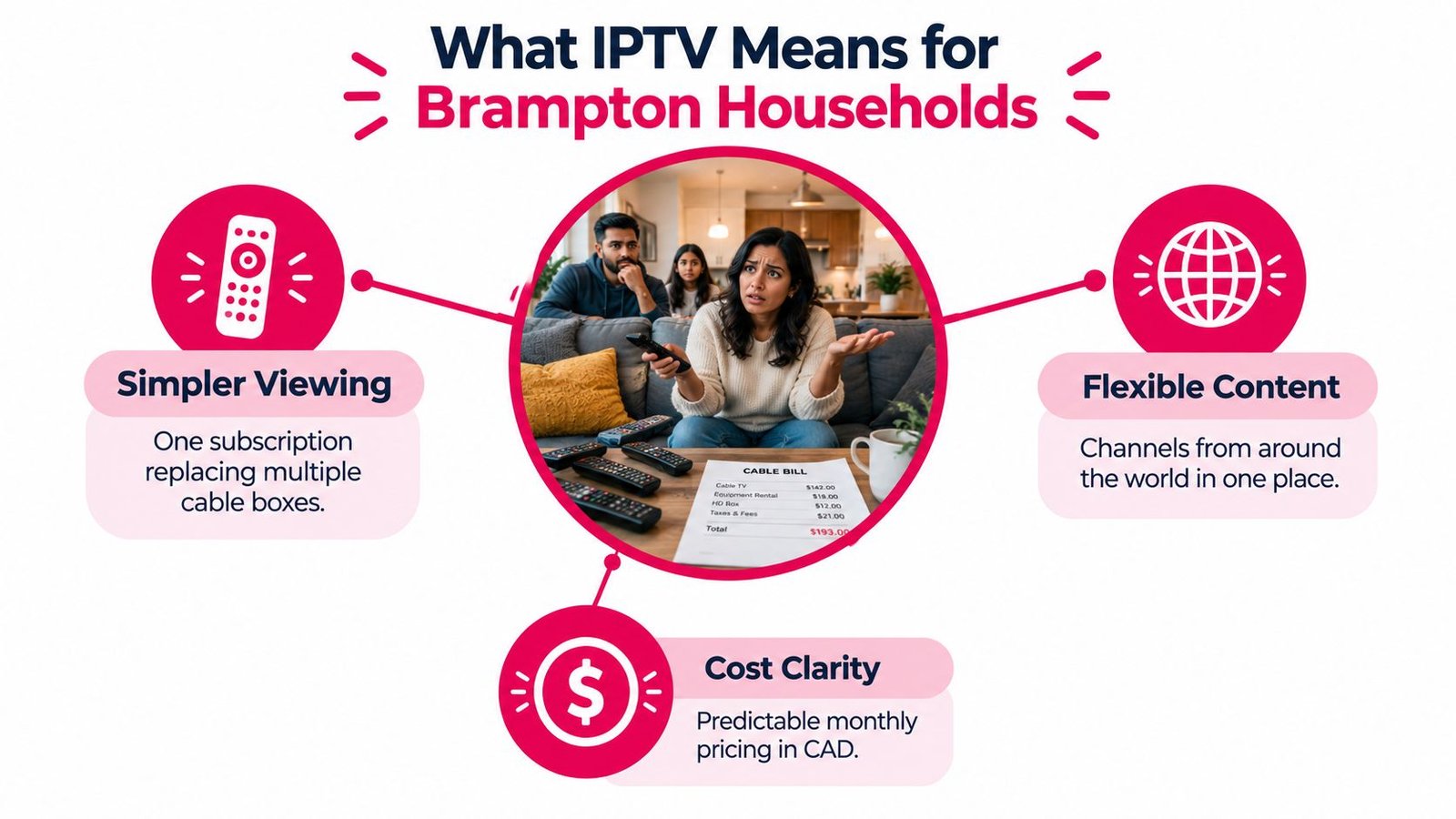
That combination can suit a Brampton household juggling local news, a live hockey game, Punjabi or Hindi programming, and movies from abroad. Instead of switching between a cable box and several separate apps, viewers may be able to browse more of that mix from one service. Whether it simplifies the evening depends on the provider's channel selection, the app's usability, and how reliably streams play at home.
What a subscription usually includes
The terms are straightforward once you know what to look for:
- Live channels are scheduled television feeds, such as news, entertainment, sports, or international programming.
- VOD is a library of films and series you choose to play when you want. Its size and titles vary by provider.
- The EPG is the on-screen guide. A useful one makes channels searchable and shows what's playing; a messy one can make even a large lineup frustrating.
IPTV isn't a shortcut around every TV expense. You still need a working internet connection, and you may need a compatible streaming device or app. A service also won't automatically replace every cable channel or sports package, so check the exact feeds your family watches before cancelling anything.
Practical rule: Treat IPTV as a way to organise internet-delivered television, not as a guarantee that every channel or event is included.
For a Brampton home, the value is simple: fewer viewing silos, if the channels are right. Start with the household's must-watch list, then test whether the service makes those programmes easy to find and watch.
Why Brampton's Demographics Shape Channel Choices
On a Saturday night in a Brampton household, the living-room TV might carry the hockey game while a Punjabi news feed runs in the kitchen and a Hindi serial waits for later. A generic “best IPTV in Canada” ranking won't tell you whether a provider covers that mix. Those lists rank channel counts. Brampton households need to rank fit.
The scale of that demand shows up in the census. Brampton's population grew from 433,806 in 2006 to 656,480 in the 2021 Census, about 51.3% over 15 years. Figures attributed to Statistics Canada's 2021 Census Profile, presented in the CRTC's reporting on the Canadian broadcasting system, put 523,850 residents (80.6% of the population) in visible-minority communities, including roughly 340,815 South Asian residents (52.4%), about 85,305 Black residents (13.1%), and around 21,060 Filipino residents (3.2%).
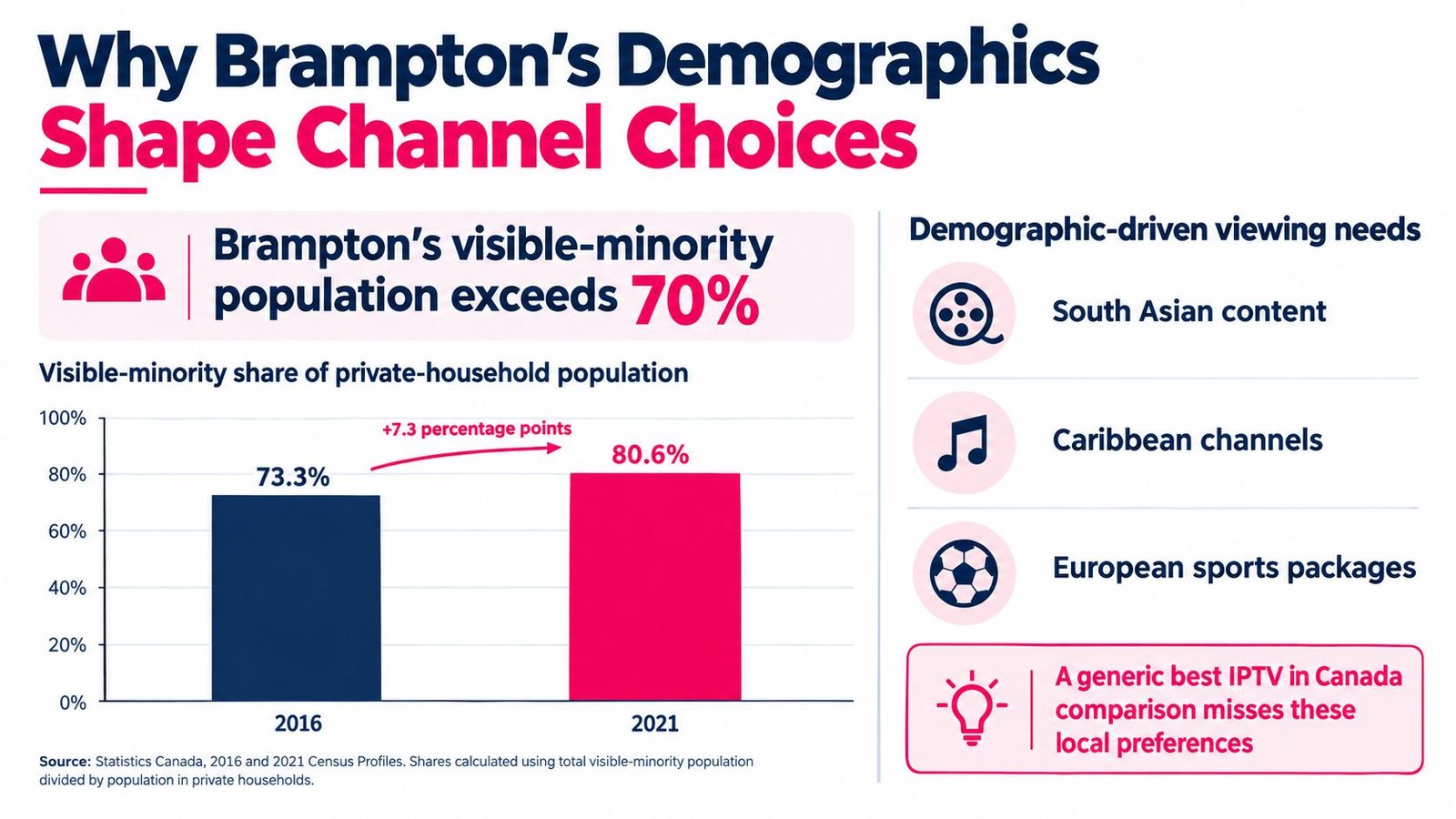
Read those numbers as a shopping brief. A majority of this city has a reason to look past a standard English-language lineup toward Punjabi, Hindi, Urdu, Tamil, and Gujarati feeds, plus Caribbean, African, and Filipino programming, all sitting alongside hockey and PPV sports. A provider that nails one half of that mix and fumbles the other is a half-subscription.
So skip the “how many channels” question and ask better ones:
| What to check | What a good answer looks like |
|---|---|
| Language feeds | Named Punjabi, Hindi, Urdu, Tamil, or Gujarati channels your family already recognises; a vague “international” label alone tells you nothing |
| Canadian sports | The specific networks and PPV events you actually watch, verified during a busy evening |
| Scheduling | Programme times that work for viewers following news and shows from abroad |
| EPG quality | Accurate language labels and searchable listings that separate similar feeds |
The trade-off is real: services strong in South Asian content sometimes carry thinner Canadian sports coverage, and the reverse happens too. Use this IPTV Canada channel list as a starting point for checking categories, then verify each must-watch channel directly with the provider before paying.
My recommendation stands firm: write the household shortlist first, in the languages your family speaks, and compare providers against it. A focused lineup people watch beats a huge catalogue nobody opens.
Internet Speed, Latency and Router Setup for Brampton
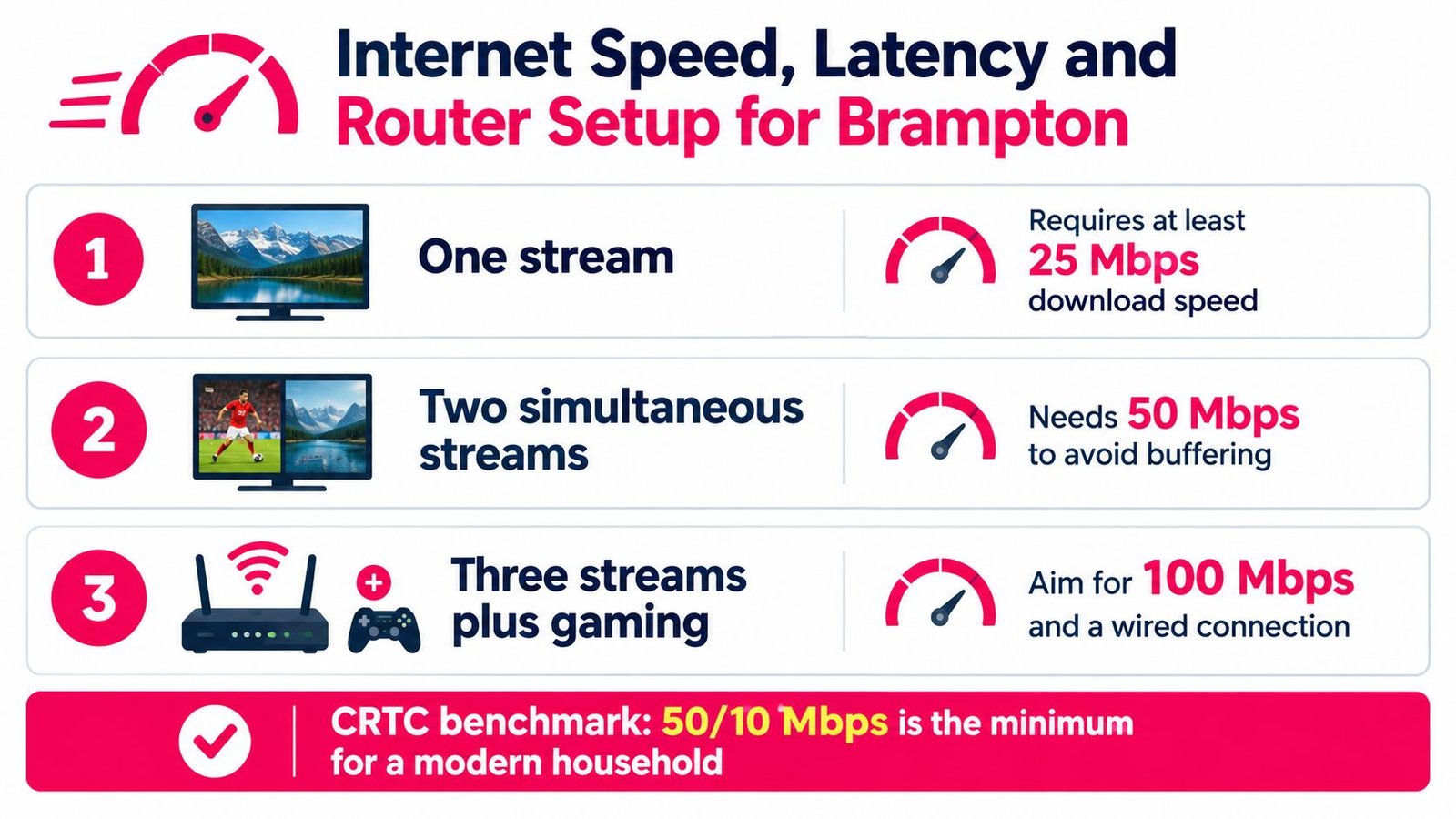
Hockey at seven, a Punjabi serial at eight, and someone on the second screen streaming evening news from back home. That kind of Saturday is when a household connection either holds up or falls apart, and the Mbps figure on your bill won't tell you which one you'll get. The CRTC's universal-service target of 50 Mbps download and 10 Mbps upload with unlimited data is a floor, not a guarantee, and the regulator's own measurements show why the distinction matters: national testing recorded average peak-hour latency of about 4 ms on fibre, compared with roughly 12 ms on DSL and 14 ms on cable/HFC, per the CRTC broadband measurement report. Those are national figures, not a promise for your address or plan.
The advertised speed is rarely the problem. Everything else sharing the line is.
A cloud backup or a large file upload can load the connection and push delay up even when download headroom looks generous, which is why a stream that ran clean at noon can stutter at puck drop. So test when it matters. Run a speed and latency check during your normal viewing hour with the household online as usual, then repeat it while a download or upload runs on another device. If channel changes lag or the picture softens, the congestion is probably inside your home, and that's good news because you can fix it.
For the main TV, run an Ethernet cable from the router if the room layout allows it. A wired link removes Wi-Fi interference entirely. Where it doesn't, put the streaming box on 5 GHz Wi-Fi and keep it near the router, since walls and floors shorten 5 GHz range fast. Many routers also offer traffic prioritisation, which can give the TV first claim on bandwidth when phones and laptops compete. It can't fix congestion or poor routing outside your walls.
The CRTC's broadband availability map for Brampton shows which service options reach your address, but a listed capability isn't measured evening performance. For more practical ways to reduce network lag in your home, start with the connection between your router and viewing device.
My advice is blunt: check your plan's upload speed and data terms, go wired where you can, and rerun the latency check during the busiest hour of your evening before paying for any subscription.
Devices That Work Well in a Brampton Living Room
The right device is usually the one you already know how to use. Buying an extra box before checking your TV's app options can leave you with another remote and no real improvement. First confirm that the provider's recommended app supports your device, then decide whether a dedicated streamer is worth adding.
| Device | Best for | Setup effort |
|---|---|---|
| Amazon Fire TV Stick | A straightforward add-on for a TV without the app you need | Low |
| MAG box | Viewers who want a dedicated IPTV-style set-top box | Moderate |
| Formuler box | A household that prefers a dedicated player and TV interface | Moderate |
| Smart TV | Keeping the living room setup simple when the required app is supported | Low to moderate |
| Chromecast or Apple TV | Households already using those platforms and their existing apps | Low to moderate |
| Roku | Viewers who prefer Roku, after confirming the provider's app support | Low to moderate |
| Phone or tablet | A second room, kitchen, or personal screen | Low |
| Laptop | A flexible screen for occasional viewing or troubleshooting | Low |
Pick for the room, not the product list
A Fire TV Stick can be a practical choice if you want to add streaming apps without changing the television. A MAG or Formuler box may make sense for someone who wants a dedicated device and is comfortable following setup instructions. Neither is automatically a better fit; the provider's compatibility and the household's patience with setup should decide.
A smart TV keeps the main room uncluttered if it supports the recommended app. For a TV-specific walkthrough, follow this IPTV setup guide for smart TVs. Phones and tablets are useful for a second viewer, but they shouldn't be your only test if the living-room television is where sports and family programmes will be watched.
If you're considering a separate box, check its supported apps, remote, and connection options before buying. These 4K TV box buying tips can help you compare features without assuming that a 4K label alone means better IPTV performance.
My advice: start with the living-room screen and one secondary device. Add hardware only if the trial shows a real need.
From Checkout to First Channel in Under a Day
A sensible setup begins with a short test, not a long commitment. Choose a plan term only after you've checked your channels, device compatibility, and home network. WatchingIPTV offers 1-, 3-, 6-, and 12-month terms, 1 to 5 simultaneous connections, a 24-hour free trial with no payment required, and a seven-day money-back policy on new subscriptions. Confirm the current terms with the provider before checkout.
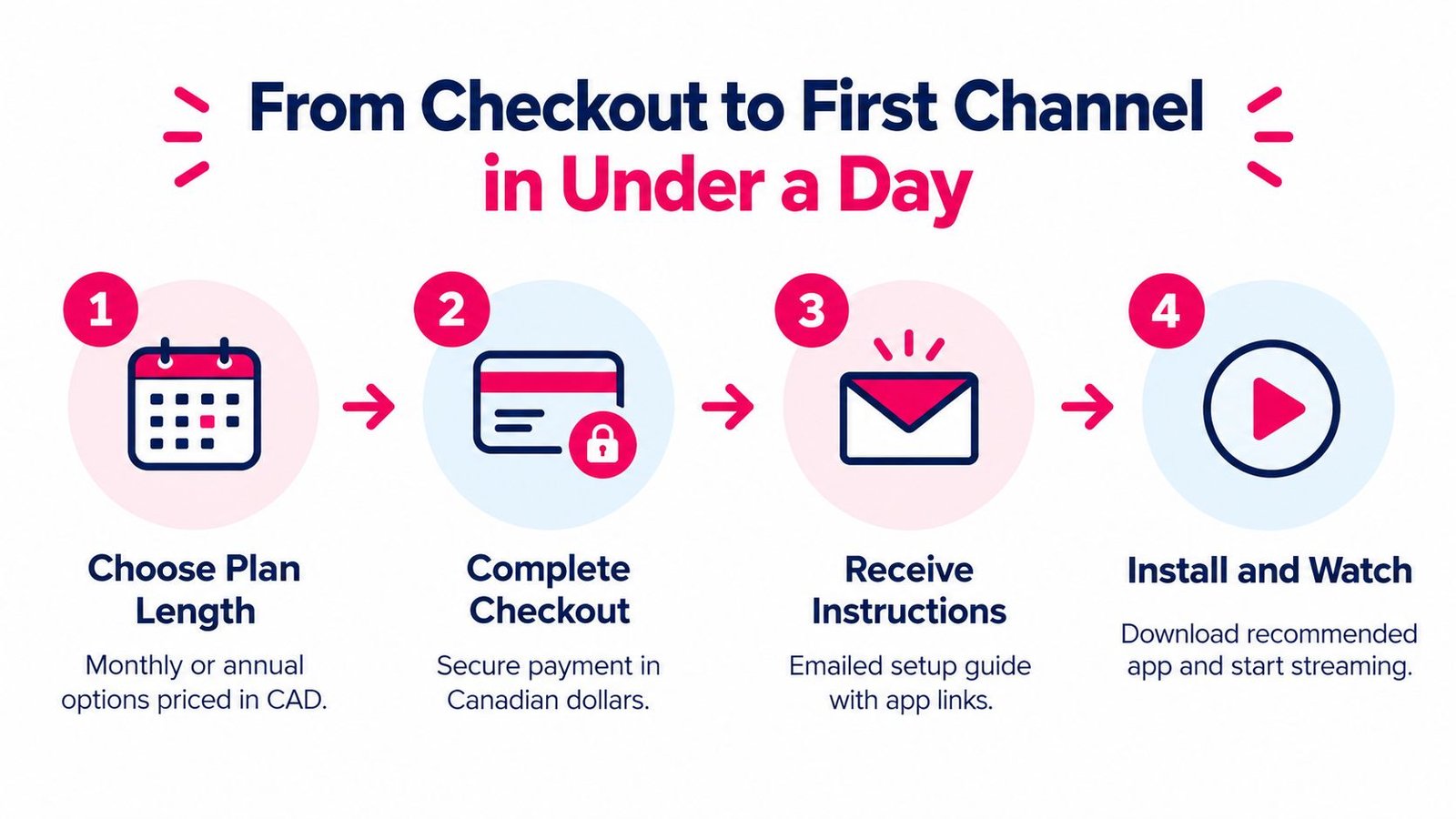
A practical activation sequence
- Choose a short test window. Pick a period when someone at home can try the channels you care about, including Punjabi or Hindi programming, a Canadian sports feed, and any VOD feature you plan to use.
- Complete checkout and check your inbox. Keep the confirmation and setup instructions together. If an email doesn't arrive, use the provider's stated support route rather than trying random settings.
- Install the recommended app or configure the box. Follow the instructions for your Fire TV, smart TV, or MAG device. Load the supplied channel list or login details as directed.
- Test before the busy evening. Confirm the main TV works, then open a second device if your plan includes another simultaneous connection.
During the trial, test at the family's normal viewing hour. Watch a live channel long enough to spot pauses, check whether the EPG labels make sense, and try a recent VOD title. If something freezes, note the channel and time and, if useful, capture a short recording of the problem. That gives support a specific issue to investigate instead of a vague report that “IPTV doesn't work.”
After activation, spend a little time sorting favourites so the main channels are easy to find. Then test the secondary stream while the first screen is playing. If you're considering a short-term option, 1 Month Premium IPTV is the catalog item's name; check its current terms directly before purchase. Don't pay for several connections until you've confirmed the household will use them and the streams work on your devices.
Legality, Reliability and What to Verify Before Paying
Say two providers both list the same Punjabi news channel, the same Urdu drama feed, and the same Saturday hockey game. On your TV they look identical. Only one of them may hold the rights to carry any of it, and that difference is what you are paying for.
Canadian courts have approved blocking orders aimed at pirate services during live events, so an unauthorized provider can lose access mid-season. A frozen stream is usually your router. A channel that vanishes overnight is a rights problem, and no amount of rebooting fixes that.
Do not let a VPN instruction pass as proof of legitimacy. A VPN protects your privacy, but it grants the provider no rights to retransmit anything. For the legal side, this guide to IPTV legality in Canada lays out the right questions plainly, though the provider's own terms still have to hold up on their own.
Brampton's market makes this check harder, not easier. Sellers advertise through community groups and WhatsApp forwards, promising every Punjabi, Hindi, and Urdu channel plus every PPV card for one low fee. The bigger the promise, the more carefully you should read the paperwork behind it.
Here is what I would confirm before any money moves:
| What to check | What a good answer looks like |
|---|---|
| Who runs the service | A legal business name and a support contact that actually replies |
| Content rights | A clear statement of who owns or licenses the channels offered |
| If a channel disappears | Written cancellation and refund terms, not a promise in chat |
| Trial access | A real test on your TV, your channels, your usual viewing hour |
| Your records | The invoice, order confirmation, and terms you agreed to saved |
Prepaid IPTV is hard to claw back if the service dies, so take a short initial term even when the yearly deal looks tempting. Message support once before you need them and keep the reply on file. Buffering gets all the attention in these conversations, but unclear rights and missing refund terms are what cost Brampton households money over time.
Picking the Right Plan for Your Brampton Household
A good plan fits how your household watches, not how many channels appear in a headline. If one person watches the living-room TV, a single connection may be enough. If two people routinely watch different programmes on separate screens, check whether the plan allows simultaneous viewing and test that arrangement before paying for a longer term.
Match the channel list to your actual week. Write down the Canadian sports feeds you use, the South Asian or other international channels your family expects, and the VOD categories that would replace apps you already pay for. Then confirm that those specific items are available and searchable in the EPG. For Brampton households, a smaller, reliable selection can beat a huge lineup with missing language labels or feeds that falter at the time you want to watch.
Make the cost comparison honestly
Compare the full IPTV cost with your current TV bill, including any internet upgrade, extra streaming device, or network fix you may need. Canadian television remains a hybrid market: the CRTC reported that streaming-only households rose from 23% in 2023 to 29% in 2024, while 62% of Canadians still subscribed to traditional television. The same report put subscription video-on-demand subscriptions at 76%. Those figures show that online viewing is growing, but they don't prove that one option will cost less for your household. Review the CRTC's Canadian broadcasting system monitoring information and compare your own bills rather than relying on generic savings claims.
Before committing, run this checklist:
- Trial completed: You tested during a normal busy evening.
- Channels confirmed: Your household's languages, sports, and key entertainment feeds work.
- Connections tested: The screens you plan to use can stream at the same time.
- Terms saved: You kept the refund, cancellation, and authorization details.
- Budget checked: The total cost includes any hardware or home-network changes.
Watching IPTV Canada offers fixed-term subscription options, live channels, VOD, and plans with multiple simultaneous connections. If that matches your household's mix of Brampton sports and international viewing, visit Watching IPTV Canada and check the channel lineup, trial, and terms before choosing a plan.
No Responses